AI room redesign
Redesign any room from one photo.
No floorplan. No 3D modeling. No decorator on retainer. Upload a phone snap of your room, choose a style direction, and StyloraAi returns a photorealistic redesign — same walls, same windows, same light, entirely new interior.
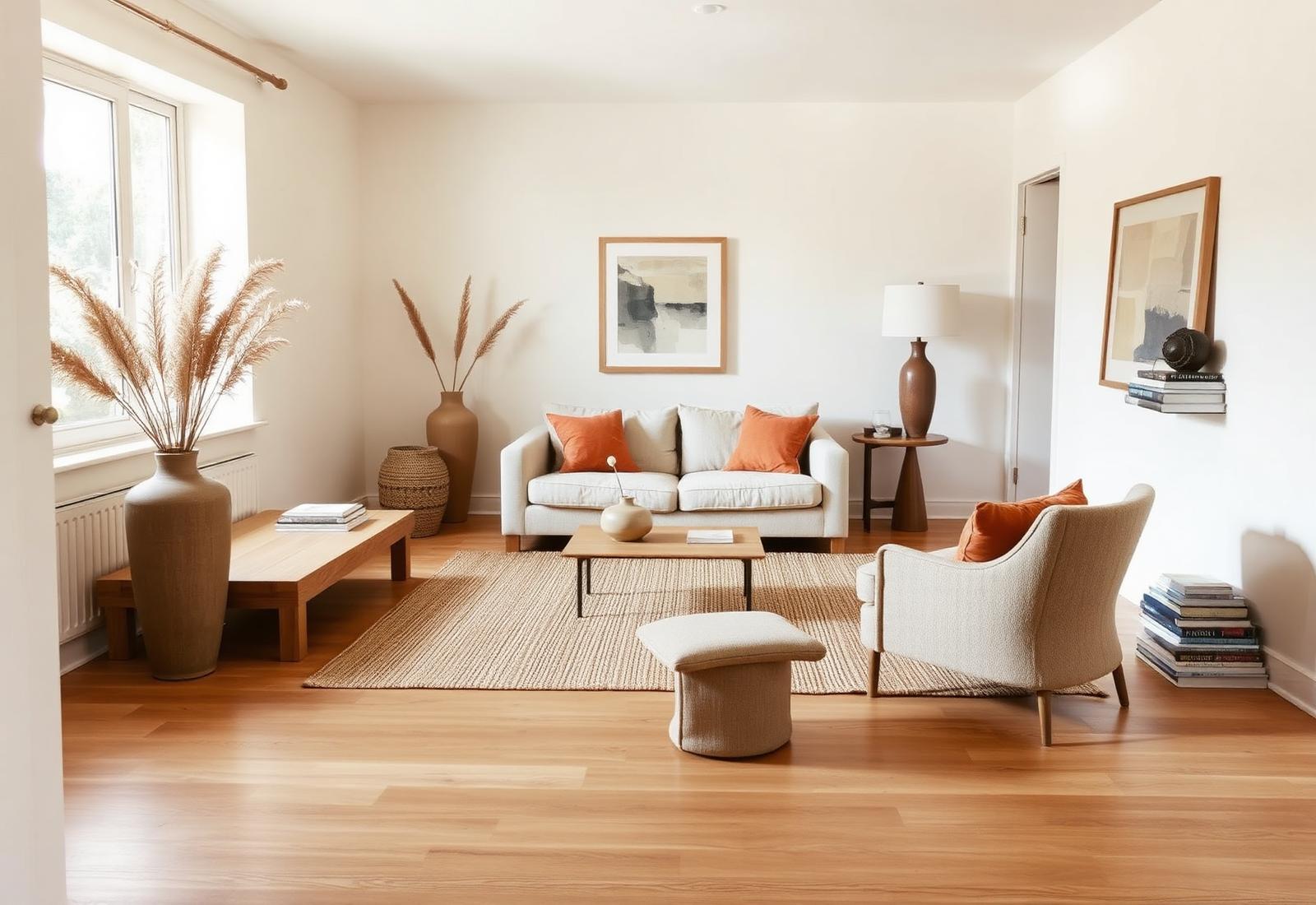
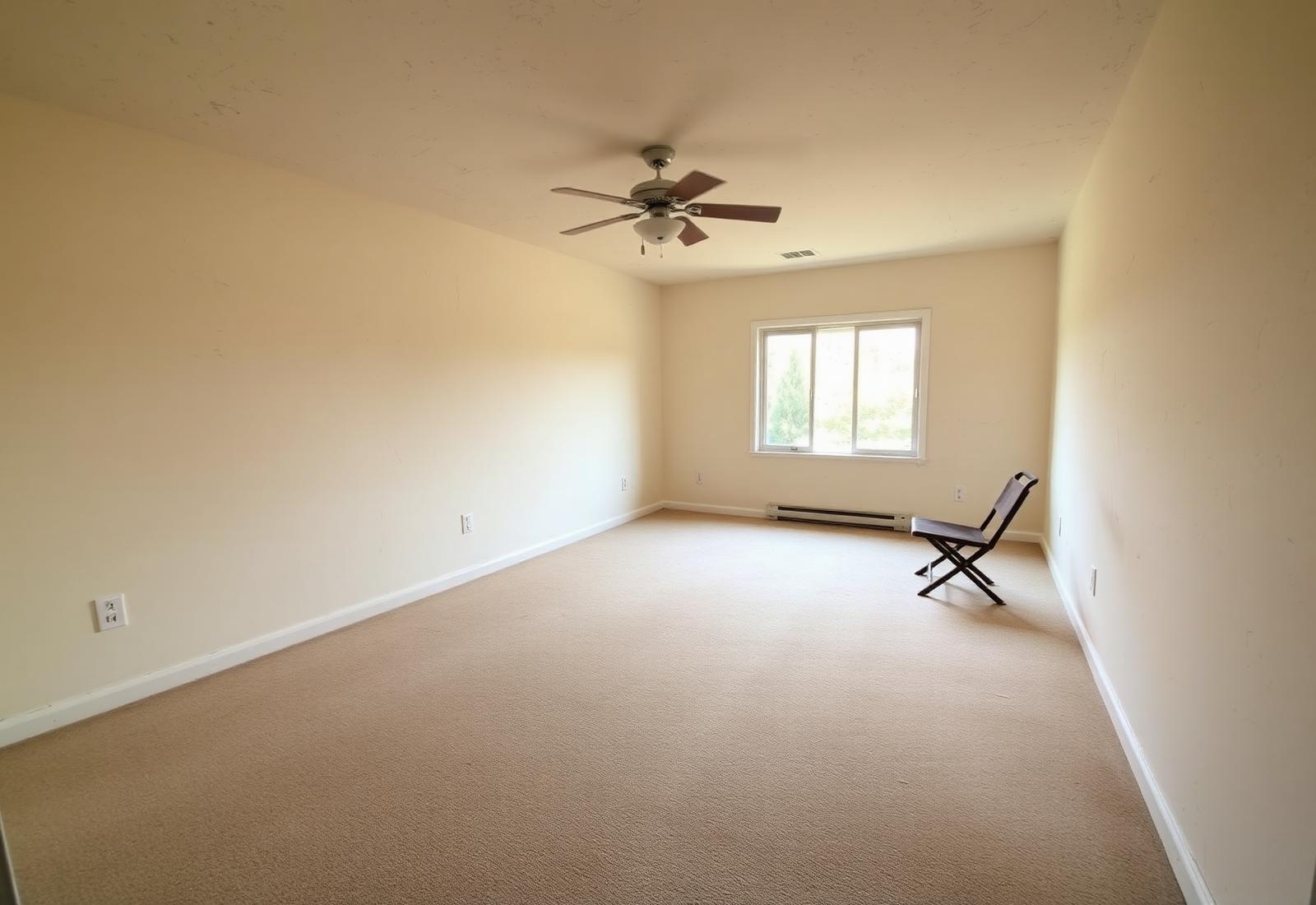
One photo in, finished room out
Skip room planners and drag-and-drop tools. StyloraAi reads your actual room and returns a photoreal render, not a diagram.
Nine curated styles
Modern, Scandinavian, Japandi, Coastal, Farmhouse, Mid-century, Minimalist, Industrial, Bohemian. Or write your own direction.
Keeps what matters
Ceiling height, window position, and camera angle stay locked. Only the interior changes — so the redesign feels like your real space.
How to ask AI to redesign a room
- 1. Photograph the room. One clear, well-lit phone photo — no need to tidy up.
- 2. Pick a preset style. Scandinavian if you want light and airy, Japandi for warm minimal, Farmhouse for lived-in.
- 3. Add a direction (optional). Short phrases work best — "walnut floors, one statement chair, green plants, warm evening light."
- 4. Generate. Renders return in about 30–60 seconds. Regenerate for another variation or download the PNG.
AI room redesign FAQ
Upload a photo of any room, pick a style (Scandinavian, Japandi, Coastal, Mid-century, etc.), and StyloraAi returns a photorealistic version of that same room restyled in seconds. The walls, windows, and camera angle stay locked in place so the render feels like your actual space.
Yes. StyloraAi only needs one clear phone photo. It reads the room's geometry and lighting, then re-renders the furniture, decor, materials, and finishes in the style you choose — no floorplan, no measurements, no 3D modeling.
Pick one of the preset styles as your starting point, then add a short creative direction like "walnut floors, warm neutrals, one statement chair, indoor plants." StyloraAi combines the preset with your direction to steer the render.
Living rooms, bedrooms, kitchens, bathrooms, home offices, dining rooms, kids' rooms, entryways, and outdoor patios. If you can photograph it, StyloraAi can restyle it.
Yes. Paid plans include a commercial license — designers use renders in client pitches and moodboards, and agents use them for pre-listing concepts. Free-tier renders are for personal use only.
A room planner asks you to place furniture on a floorplan. StyloraAi skips that entirely — it works from a real photo and returns a photorealistic finished room, not a top-down diagram.
Redesign your room in the next minute.
Free to try. Upload one photo, pick a style, and see a photoreal redesign of your actual room.